
System Functions
Pabrindlex Functions and System Capabilities
Pabrindlex offers a set of information functions designed to help users locate, review, and work with classified digital content. The following describes the system's primary capabilities and how they support practical information needs.
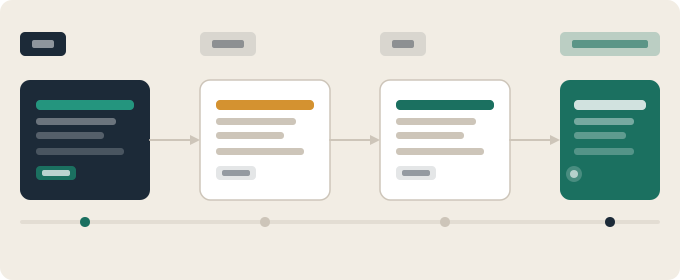
How It Works
The Information Review Workflow
Initial Access
Users begin by reviewing the available information sections to understand what Pabrindlex offers in each area. The system presents a clear overview of its categories before users navigate into any specific section, allowing for informed decisions about where to focus.
Category Selection
Once users have reviewed the available sections, they can select the category most relevant to their enquiry. Navigation between categories is direct: users move to the area of interest without passing through unrelated content.
Information Review
Within a selected category, users can examine the structured content available. Items are presented in a consistent format that makes it easy to compare information across the category and identify what is relevant to the current need.
Enquiry Submission
If users require further assistance after reviewing available content, they can submit a specific request via the enquiry form. The support team reviews submitted requests and responds to the contact address provided.
Available Capabilities
What Pabrindlex Provides
Information Classification
The system organises content into clearly defined categories based on subject matter and type. Classification is applied consistently across all sections of the platform, so the same navigation approach works throughout the system. Users do not need to adapt their approach when moving from one area to another.
Structured Presentation
Content is displayed in a consistent format across all sections. Each item follows the same layout pattern, which means that users do not need to reorient themselves when examining information in a new category. This consistent presentation reduces the effort required to interpret available content.
Interface Navigation
A clear navigation structure allows users to move between sections without losing context. The labelling of navigation elements corresponds directly to the content they contain. Users can return to a previous category, move to a related section, or navigate to the enquiry form at any point during a session.
Enquiry Processing
Users can submit structured enquiries through the contact form on the Enquiries page. Each submission includes fields for the user's name, contact address, the type of request, and a message. Submitted enquiries are reviewed by the support team, who will respond to the address provided.
Designed for Practical Use
The Pabrindlex interface is arranged to reduce unnecessary complexity. Information is categorised before it appears in the interface, so users encounter only what is relevant to the section they are in. This arrangement makes it easier to review content without becoming distracted by unrelated material.
The system does not invent information or make claims that go beyond what is contained in the available categories. What the interface presents reflects the state of the underlying content at the time of access. Users should treat the interface as a guide to available information rather than as a comprehensive source of all possible content on a topic.
For more detail on the scope and limitations of the system, read the Platform Details page, or submit an enquiry to the support team.
Questions about a specific function?
Contact the Pabrindlex support team for assistance with any aspect of the system, its categories, or the enquiry process.